Skip to main content
CAPS Family
CAPS Experience
CAPS Connection
CAPS Contacts
MOE Kindergarten @ Casuarina
Home
Declare NOT Travelling
Declare NOT Travelling
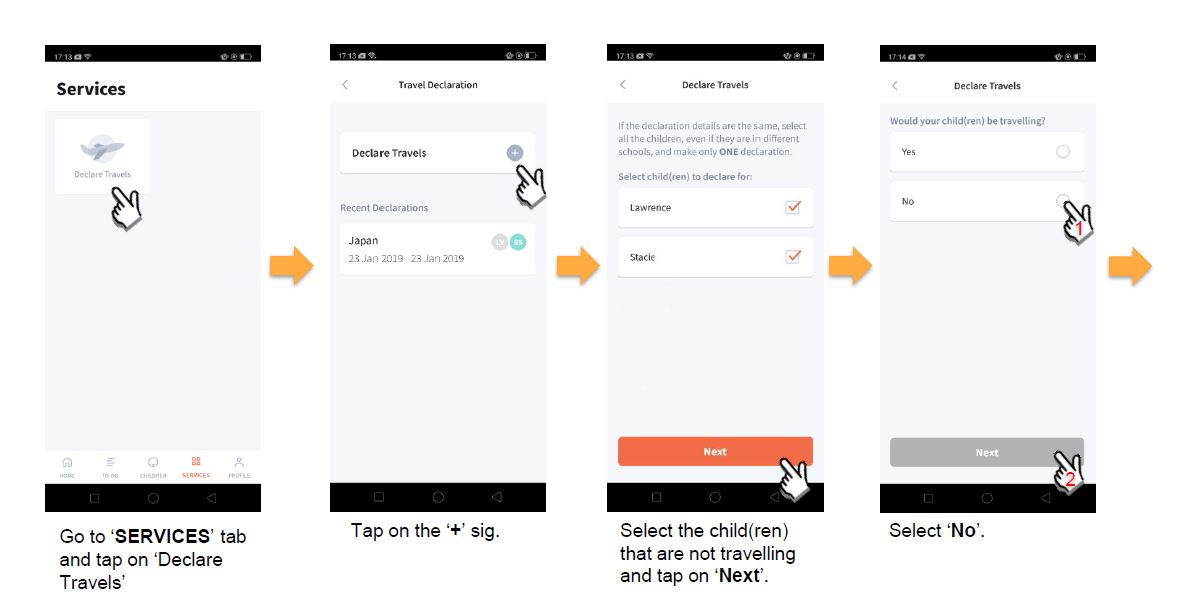
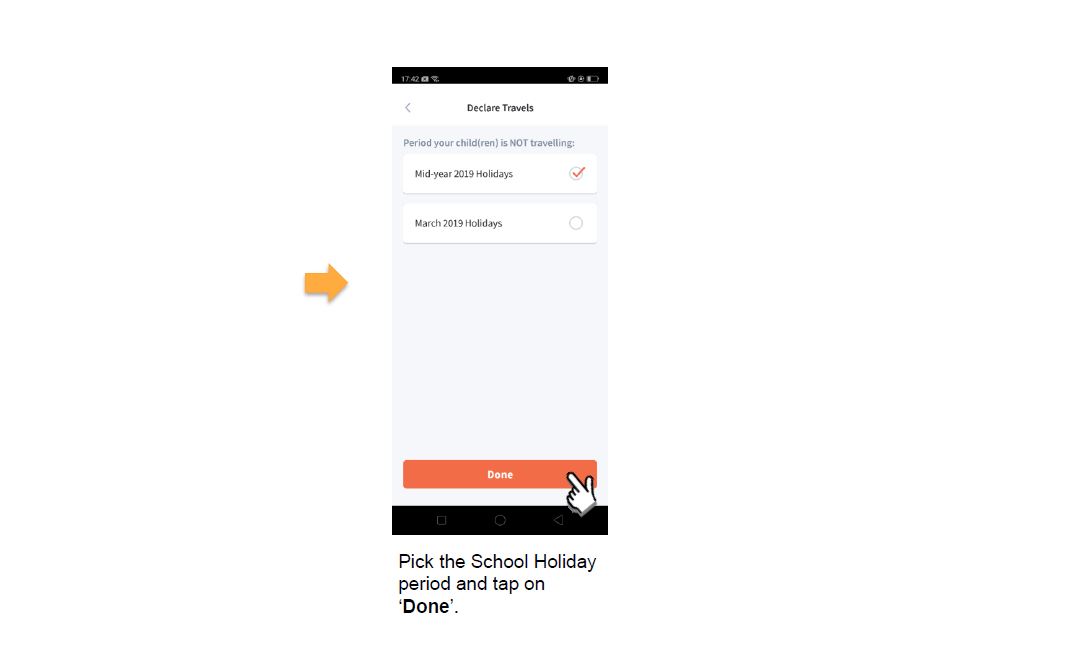
Use this form to declare that you are not travelling, so your travel history remains accurate.
Last updated on 11 May 2026
Back to top